Selection Book is built around the point where a product option becomes a decision, a revision and finally something ready to hand off.
01
Compare
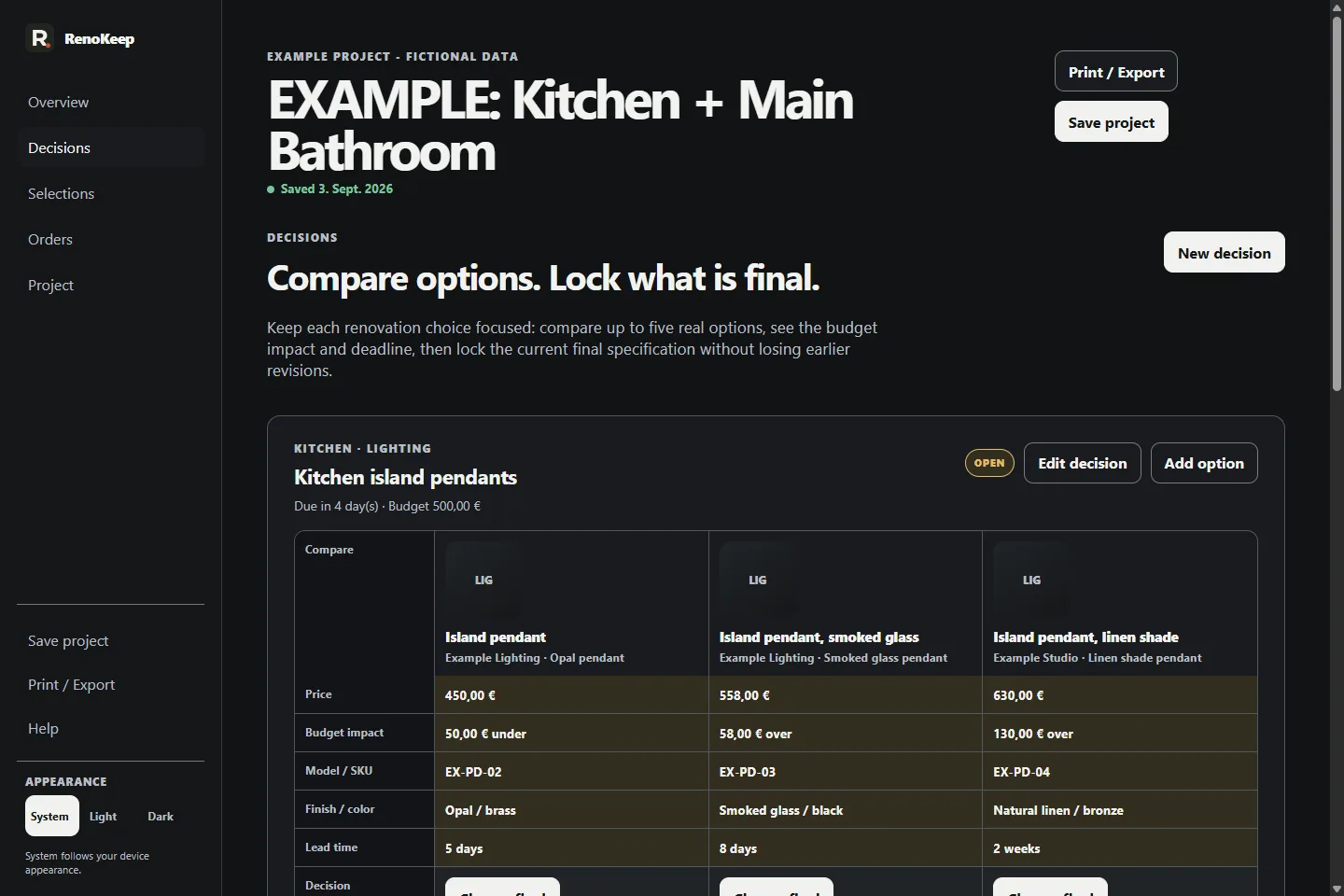
Keep up to five real product or finish options inside one Decision Set instead of spreading the shortlist across tabs, messages and spreadsheet rows.
02
Current Final
Use the decision deadline, allowance and per-option budget delta as context, then choose the current final selection deliberately.
03
Revision
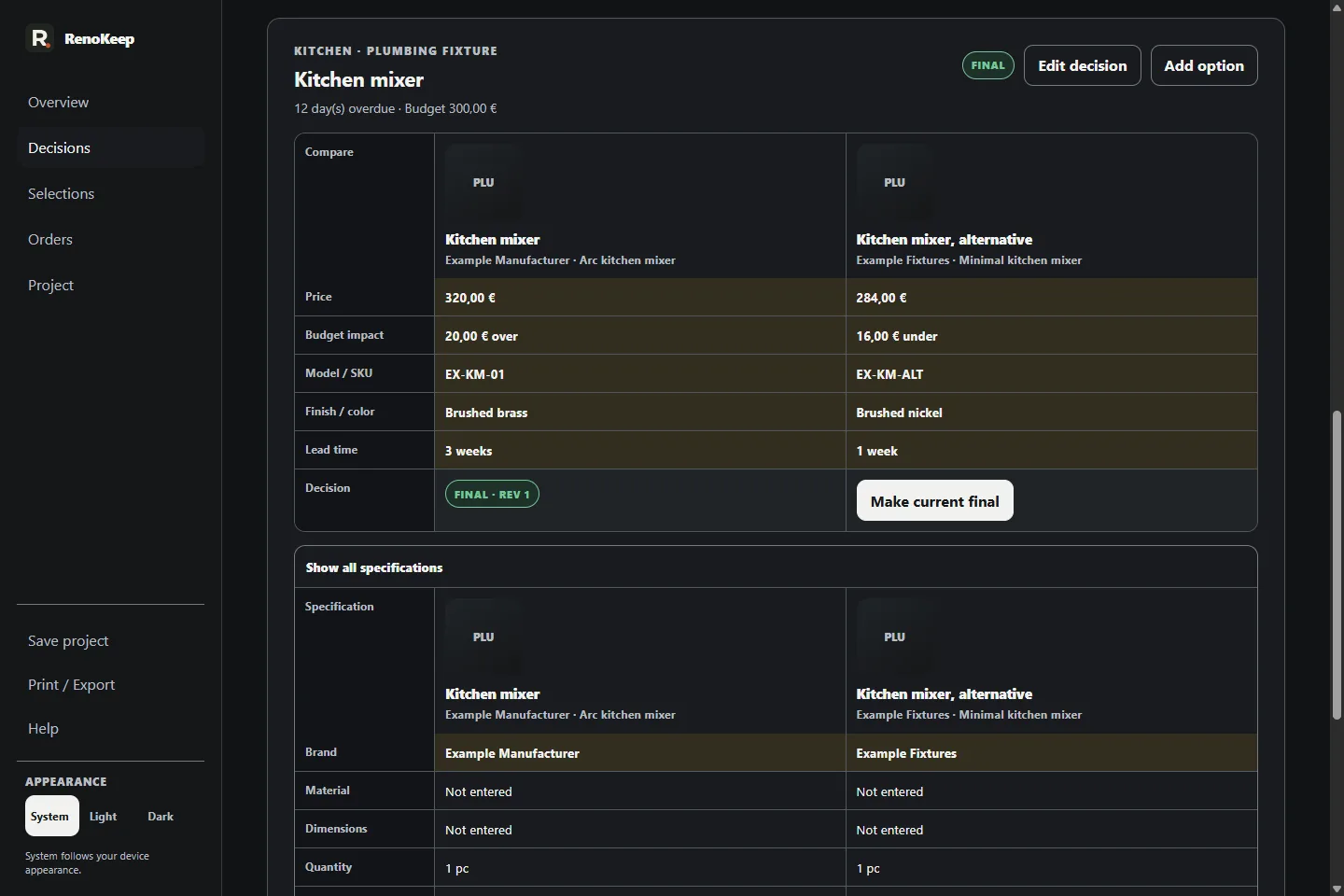
If the current final changes later, Selection Book preserves the earlier final as an immutable revision snapshot instead of rewriting the history.
04
Order Ready
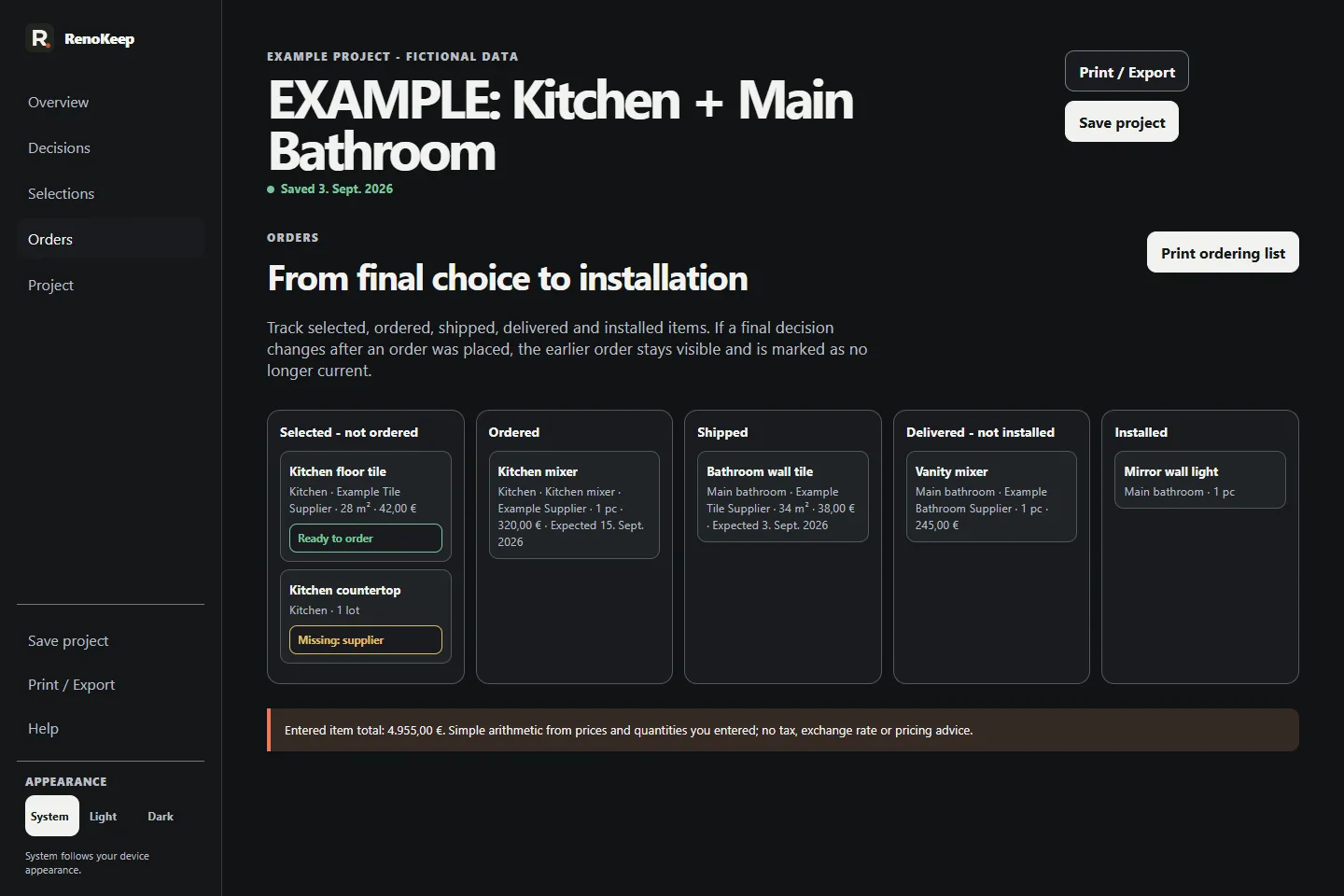
Order Ready is deterministic: quantity, unit and supplier must be recorded together with a SKU, product name or URL.
05
Handoff
Use the same project records by room, trade and ordering context, then print or export the handoff needed for the people coordinating the renovation.
Real product. Real screens.
The same decision becomes more useful as it moves forward.
Captured from Selection Book v1.1 using the included clearly fictional Kitchen + Main Bathroom example project.
DecisionsCompare up to five options for one decision with the details, deadline and allowance context kept together.Final selection + revisionChoose a current final selection and preserve later changes as revisions instead of silently overwriting the earlier decision.OrdersBring selected, ordered, shipped, delivered and installed items into one ordering view and see whether the recorded information is order-ready.
Keep the working copy
Save the project. Reopen it. Hand off what matters.
Changes save automatically in this browser on this device. Export independent .renokeep backups; RenoKeep does not upload, sync or keep a cloud copy of your projects.
Buyer confirmation and initial offline setup need internet. Check offline readiness in the browser or installed app you will use: wait for Ready offline. After setup, local project work can continue offline. Updates and buyer-access recovery need internet.
Decision contextRoom, category, deadline and optional allowance.
Order readinessQuantity, unit, supplier and usable product identity.
Handoff outputsSelection Book, Room Pack, Trade Pack, Ordering List or Product Card.
One focused tool. One-time purchase.
Selection Book · €24.90 total in Germany.
Compare renovation choices, preserve revisions and prepare order-ready handoffs without creating another subscription or cloud workspace.
Local browser application
No RenoKeep account
No cloud sync required
Example project + Quick Start included
For customers in Germany, the displayed price is the total including VAT. Paddle is the Merchant of Record and calculates the final localized total, applicable transaction taxes, receipt and order-related billing support for the buyer location before payment. No subscription or shipping charge.